GoHighLevel popup templates that ask at the right moment
A visitor reading your custody page at 11 pm will not call. A short, well-timed prompt to book a consultation might. Choose from 43 popup templates for your website or inside GoHighLevel, target them by page and device, and see which ones get clicked.
- Up to 15 live at once
- Leads into GoHighLevel
- Views, clicks and closes tracked
Index of popup types
7 formats, 43 templates in the catalog.
- 20 templates
- Centered modal
- 9 templates
- Slide-in
- 4 templates
- Top / bottom bar
- 2 templates
- Full-screen
- 2 templates
- Side drawer
- 3 templates
- Toast
- 3 templates
- Social proof
- Where
- 25 website, 18 inside GoHighLevel
Open any of the popup templates on a sample page
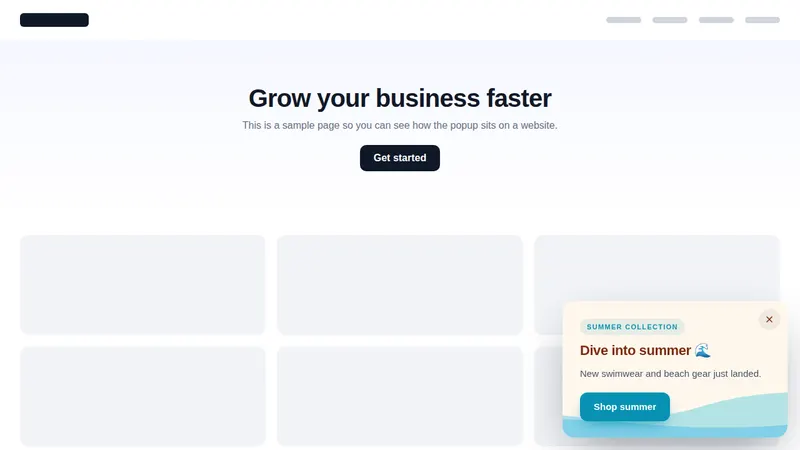
Starts on the Summer waves slide-in. Switch between website and in-app templates; the buttons and close links inside the frame work.
Loading the live preview…
Summer waves: real templates from the customizer, drawn by the same popup engine that runs on websites and inside GoHighLevel. Buttons and close links work.
What makes a good law firm website popup?
A good law firm website popup is brief, factual and easy to dismiss. It appears on a relevant page after the visitor has read for a while, offers one clear next step such as booking a consultation, and shows no more than once per visit.
The customizer gives you the controls to keep it that way: page and device targeting, scheduling, a frequency cap and a visible close button on every template. Pair a popup with the law firm appointment booking system so the click lands on a real calendar.
Consultation popups and in-app notices, by use
After-hours consultation prompt
Shown on practice area pages in the evening, inviting a visitor to book the next available consultation instead of leaving.
Guide download on long reads
A slide-in offering a plain-language guide (for example, what to bring to a first estate planning meeting) in exchange for an email.
Announcements inside GoHighLevel
Tell your own staff or sub-account users about a new intake script or office closure with an in-app modal or toast.
Office hours and closures
A top bar on the website for holiday hours or a new office opening, scheduled to switch itself off.
Publishing a popup, step by step
You do this yourself in the editor once your account is open. Your login arrives by email after checkout, usually within minutes.
- Select
Pick a template
Start from one of 43 templates in the editor and choose website or inside GoHighLevel.
- Draft
Write it for your practice
Change the headline, button and colors. Keep claims factual and the call to action clear, such as booking a consultation.
- Rules
Set the rules
Choose pages, devices, timing and a frequency cap so the popup appears only where it helps.
- Publish
Publish
Add the site script once (GoHighLevel uses the loader you already have). Save, and the popup is live.
Popups come with Senior Partner
One-time payment, lifetime access·Login emailed within minutes (max 24 hours)
GoHighLevel popup questions
How many GoHighLevel popup templates are there?
43 templates across 7 types: centered modal, slide-in, top or bottom bar, full-screen, side drawer, toast and social proof. 25 are made for websites and 18 for use inside GoHighLevel.
How do I put a popup on our law firm website?
Add one script tag to the site, including GoHighLevel funnels and websites. In the popup settings you can limit which domains it runs on, so it never appears somewhere you did not intend.
Do popups inside GoHighLevel need extra code?
No. Popups shown inside GoHighLevel are delivered by the same loader line you already installed for your theme.
Can a popup show only on certain practice area pages?
Yes. Target by page, by device and by date and time, and set a frequency cap so a visitor reading about estate planning is not shown the same message on every page.
How many popups can be live at once?
Up to 15 at the same time on Senior Partner, chosen from all 43 templates.
Where do form responses from a popup go?
Senior Partner sends widget leads into GoHighLevel. You can also route responses to a webhook or an email inbox.
Can I see whether a popup is working?
Each popup records views, clicks and closes, so you can compare wording, for example a free consultation offer against a case evaluation offer.
Are popups appropriate for a law firm?
Used sparingly, yes. Keep the message factual, avoid promising outcomes, follow your state bar's advertising rules and show it once per visit. A short consultation booking prompt on a practice area page is a common, measured use.
Which package includes popups?
Senior Partner ($1,397, one-time). It also includes notifications, calculators and floating widgets.
Related exhibits
Ask for the consultation, politely
Senior Partner adds popups, notifications, calculators and floating widgets on top of every portal tool. $1,397, one-time.
One-time payment, lifetime access. Login emailed within minutes (max 24 hours).
GoHighLevel and HighLevel are trademarks of HighLevel Inc. Lawyer Snapshot is independent and is not affiliated with, endorsed by or sponsored by HighLevel. The GHL Customizer is a third-party tool that restyles the interface; it does not change your data, workflows or automations, and nothing on this page is legal advice. Packages start at $297, one-time.