Running a law firm today isn’t just about winning cases—it’s about winning business. And the harsh truth? Most law firms are leaking clients before they even get a chance to speak with them.
It’s not because they’re bad at law. It’s because they’re bad at follow-up.
That initial call, form submission, or DM is where the client journey begins. If your team doesn’t respond immediately—or worse, not at all—you’re handing your leads to the firm down the street.
Quick Takeaways
- 📉 26% of law firm leads are lost due to poor follow-up
- ⏱️ You have 5 minutes or less to respond before a lead moves on
- 🧠 Automation and AI can replace delayed or missed responses with instant, 24/7 engagement
- 💬 Prebuilt legal workflows can be activated in under 15 minutes—no tech skills needed
- 💰 With just one extra client, the system can pay for itself
Why Most Law Firms Struggle to Follow Up
1. Staff Can’t Keep Up
You’re juggling court, calls, emails, and admin. Your receptionist is overloaded. Messages get missed. Leads slip through the cracks.
Real-world stat: According to the ABA, most law firms take over 24 hours to respond to a lead. Most potential clients are gone in under 6 hours.
2. Voicemail is a Dead End
People don’t leave voicemails anymore. If they don’t get an answer, they try the next firm. A single missed call could cost you $3,000–$10,000 or more, depending on your practice area.
3. Social Media Is a Blind Spot
You post regularly on Facebook or Instagram, and someone comments:
“How much is a consultation?”
And… no one replies for 2 days.
That’s a missed client, not just a missed message.
4. No Centralized System
Many law firms use a mix of spreadsheets, email folders, and paper notes. Without a centralized CRM that automatically tracks and responds to leads, there’s no consistent follow-up.
5. Inconsistent Human Follow-Up
Even with good staff, things happen. People forget. Priorities shift. And unlike software, humans don’t follow up at 2:00 a.m. on a Sunday.
What Does Good Follow-Up Actually Look Like?
Let’s define it.
Effective lead follow-up includes:
✅ Responding to every inquiry within 5 minutes
✅ Personalizing messages by practice area
✅ Offering an easy way to book a consultation
✅ Sending automatic reminders and confirmations
✅ Following up multiple times (without being annoying)
Now here’s the good news: You don’t need a bigger team. You need smarter systems.
How to Fix Your Follow-Up in 15 Minutes With Legal Automation
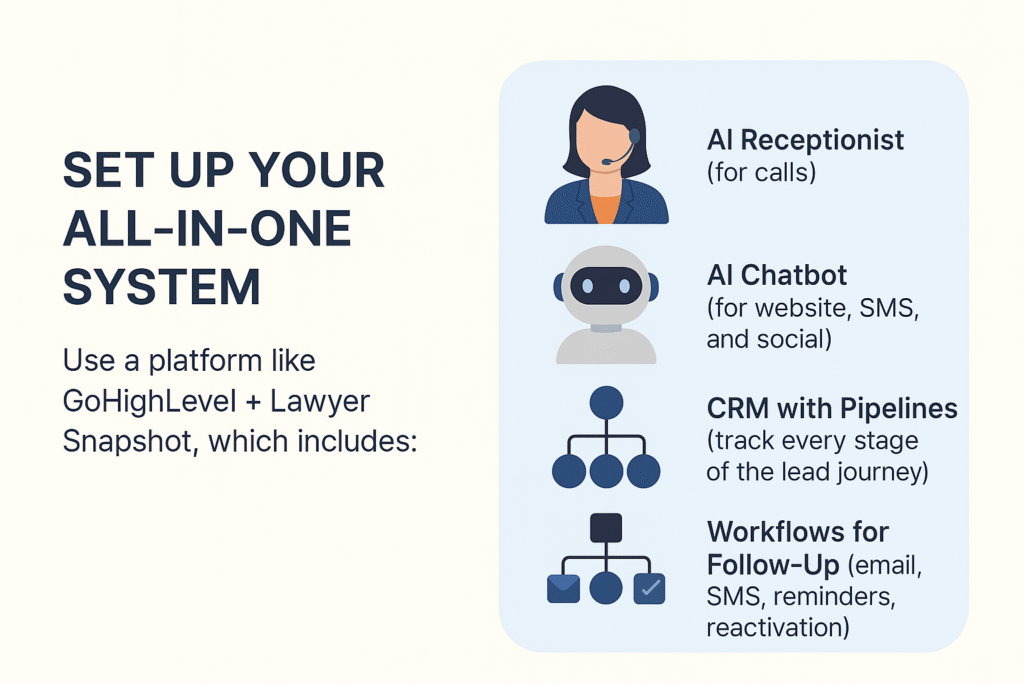
Step 1: Set Up Your All-in-One System
Use a platform like GoHighLevel + Lawyer Snapshot, which includes:
- AI Receptionist (for calls)
- AI Chatbot (for website, SMS, and social)
- CRM with Pipelines (track every stage of the lead journey)
- Workflows for Follow-Up (email, SMS, reminders, reactivation)
No extra plugins or developers needed. Everything is included in the snapshot.
Step 2: Activate the “Lead Capture Workflow.”
Inside the system, turn on the pre-built automation that:
- Sends an instant SMS saying:
“Thanks for contacting [Firm Name]! We’ll get back to you shortly, or you can book a free consultation here: [Calendar Link].”
- Sends a follow-up email 30 minutes later if they don’t respond
- Notifies your staff via app, email, or text
- Triggers a re-engagement sequence if no action after 24 hours
Step 3: Use AI to Handle After-Hours or Court Time
The AI receptionist can:
- Answer calls 24/7 with a human voice
- Qualify leads with questions (e.g., type of legal issue, urgency)
- Book consultations directly on your calendar
- Send you a call summary afterward
“We signed 3 new clients last week—all booked while I was in court.”
— David G., Criminal Defense Attorney
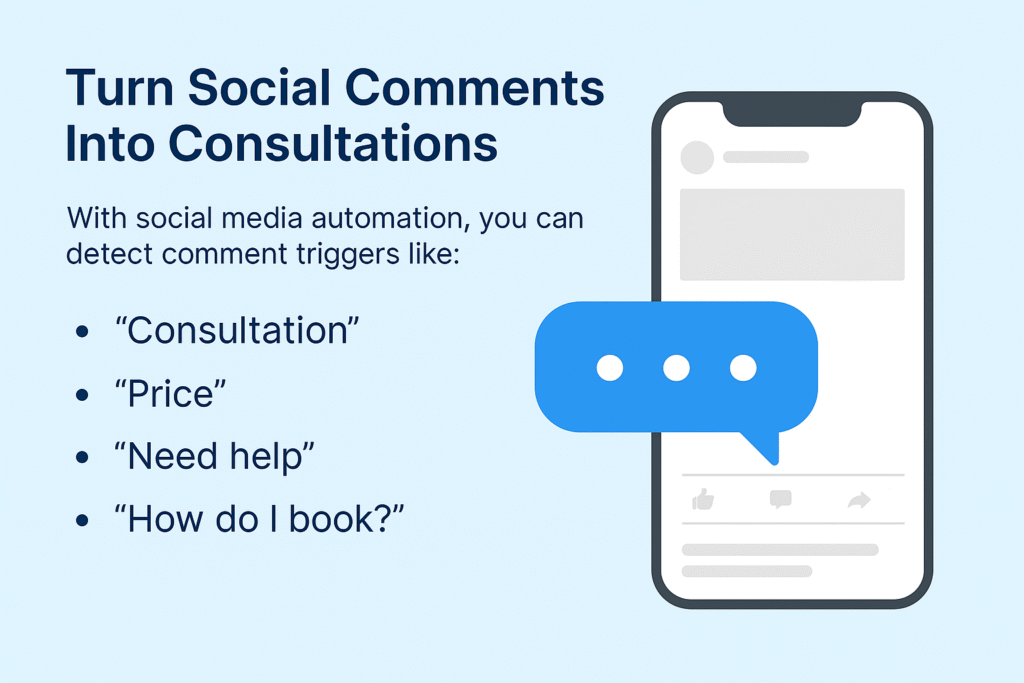
Step 4: Turn Social Comments Into Consultations
With social media automation, you can detect comment triggers like:
- “Consultation”
- “Price”
- “Need help”
- “How do I book?”
Then the bot can automatically reply or DM the lead, link them to your calendar, and notify your staff—all without you lifting a finger.
Step 5: Add Review Automation to Close the Loop
Happy clients are gold—but only if they leave reviews.
The Review Generation Workflow automatically:
- Sends Google + Facebook review requests after appointments
- Follows up with a reminder 3 days later
- Includes a direct review link (no login needed)
Pricing Breakdown
You’re not just buying a tool—you’re automating your entire front desk, intake, and follow-up process.
| Feature | Included? | Value |
|---|---|---|
| Prebuilt Funnels (2) | ✅ | $500+ |
| Legal Intake Workflows | ✅ | $750+ |
| CRM + Calendar + Reminders | ✅ | $399/month if separate |
| AI Receptionist (voice) | ✅ | $1000+ dev time |
| AI Chatbot (web/social/SMS) | ✅ | $1000+ dev time |
| Social Automation | ✅ | $250+ |
| Review Request System | ✅ | $200+ |
| Email + SMS Follow-up Sequences | ✅ | $350+ |
| Total One-Time Snapshot Price | $999 | Lifetime access |
There are no recurring fees, and you get full setup support for 15 days.
Frequently Asked Questions
Is this only for large firms?
How long does setup take?
Does it work for personal injury, immigration, or family law?
Can I customize the messaging?
Can I use it with my current calendar?
Conclusion
The difference between a growing law firm and a stagnant one often comes down to one thing: how fast and consistently you follow up.
If you wait, your competitors will win the client.
But if you automate, you’ll convert more leads without chasing them down.